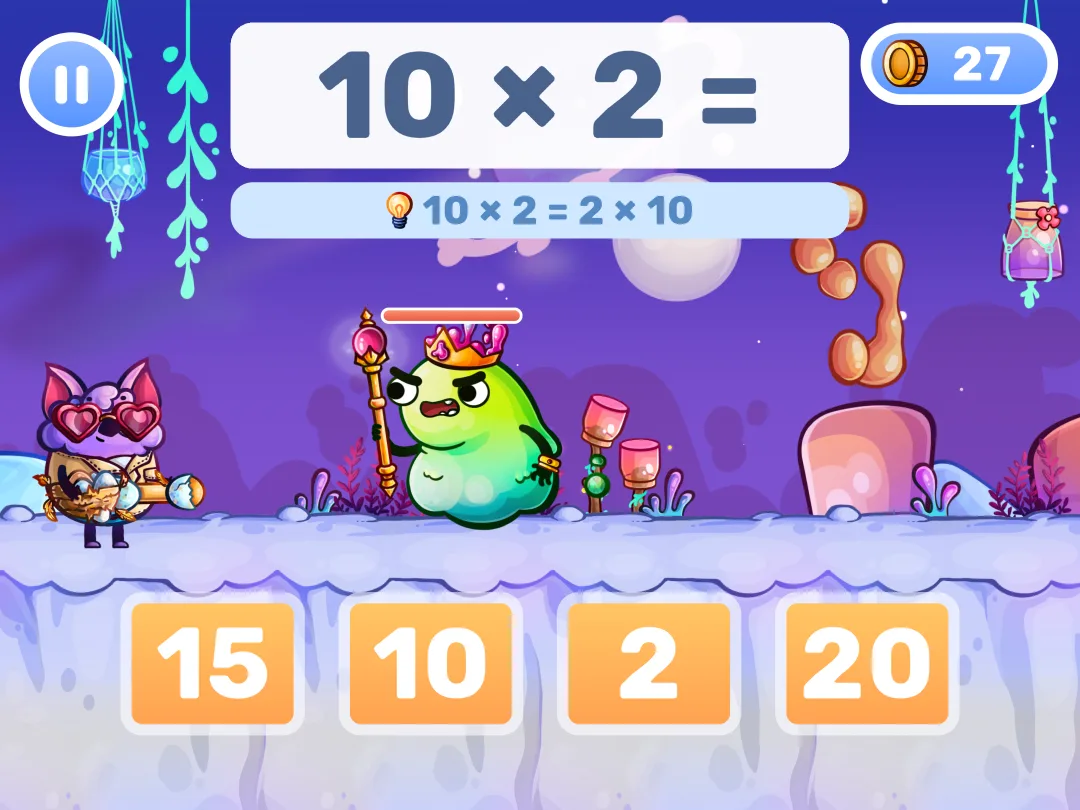
Free math games for kids that play right in your browser: Slime Battle, Wacky Racing and Delivery Service. Every right answer moves the adventure forward. Pick what to practice, from addition and subtraction up to 10 to the multiplication and division facts, and press Play. No account, no download, no ads.
Addition, subtraction, multiplication, division
Grades K-4 · ages 5-10
Free in the browser
No account, no download
No ads
Phone, tablet and computer
Pick a Math Game to Play
Then choose what to practice: addition, subtraction, multiplication or division.
Math Games by Topic
Each topic has its own games, with only that topic's problems.
An adventure in every gameFight off a slime raid, win a racing championship or deliver parcels to friends. Each adventure has five levels, and every right answer moves it forward.
The math you chooseSet a range for each operation before the first level, from addition 1-10 to division 1-12, or switch it off. The games remember your pick for the next visit.
Ready on any deviceThe games run in the browser on a phone, tablet or computer. Answers are tapped, so no keyboard is needed.
Free, with nothing to set upNo account, no download and no ads. Open the page and play.
For parents
Get MathHero: The Full Adventure
Keep practicing in the MathHero app: a story-driven math game for ages 5-10, from first addition to division.
Step-by-step learning programs for addition, subtraction and the multiplication tables add new facts a little at a time
Custom Practice: addition and subtraction up to 10, 20, 100 or 1,000, any multiplication tables from ×1 to ×12, and division
Typed answers or multiple choice, in Easy, Medium or Hard mode
Free at 5 levels a day, with no ads and nothing locked.
Rated 4.7 on Google Play (48.2K reviews) and 4.6 on the App Store (12K ratings), checked . Read our MathHero review →
Learn Math with the MathHero App
How is the MathHero app different from the online games on this page?
The online games on this page are mini-games for short math practice. The MathHero app is a full math adventure with step-by-step learning programs, rewards for your hero and saved progress for each child. If your child enjoys these mini-games, try the app: you can play 5 levels a day for free, with no ads and nothing locked.
What Parents Say About the MathHero App
Verbatim from public App Store and Google Play reviews of the MathHero app, with spelling as written. Rated 4.7 on Google Play (48.2K reviews) and 4.6 on the App Store (12K ratings), checked .
“I really appreciate being able to choose what kinds of math problems so it can be used by each child and they can be properly challenged (one is only doing addition and the other is doing division).”
App Store review · Apr 2026
“The game goes the range, of simple addition/subtraction to more difficult multiplication/division tables. Difficulty is fully adjustable.”
Google Play review · Aug 2025
“I have been looking for a math game that actually helps. You can change between addition, subtraction, multiplication and division and customizethe numbers that you want your child to learn.”
Google Play review · Jun 2022
Math Games: Common Questions
What are the best free math games for kids?
The best free math games give your child lots of practice and make them want to keep playing. The MathHero online games on this page do both: every question is a math problem at the level you pick, from sums up to 10 to division by 12, and every right answer moves the adventure forward, so practice never feels like a drill. They play in the browser with no account, no download and no ads. For an app on iPhone, iPad or Android, try the MathHero app: its learning programs add new facts a little at a time, and Custom Practice covers addition, subtraction, multiplication and division. You can play 5 levels a day for free, with no ads and nothing locked.
What math can my child practice in these games?
Addition, subtraction, multiplication and division. Before the first level, the games open a “Choose your math” screen with a row for each operation. Set Addition and Subtraction to 1-10, 1-20, 1-100 or 1-1000, and Multiplication and Division to 1-10 or 1-12; a row set to Off is left out. To begin with, Addition and Subtraction are set to 1-20, and Multiplication and Division are Off. The pick is remembered for the other adventures on this page and for your next visit.
What grades are these math games for?
Kindergarten to 4th grade, about ages 5 to 10. In the US, kindergarten and 1st grade work on addition and subtraction within 10 and 20, 2nd grade goes on to 100 and 1,000, and 3rd grade learns the multiplication and division facts within 100. 4th graders can use the games to review those facts.
Can my child practice only one skill?
Yes. On the “Choose your math” screen, set every row to Off except the one you want to practice, for example Multiplication at 1-10. Each skill also has its own page, with games on that skill only: the addition to 10 games, the subtraction within 20 games or the 7 multiplication table games, for example. The list of topics on this page links to all of them.
Do math games help kids learn math?
Research finds that game-based math practice works, with modest gains over regular instruction. Design matters: games where the math itself drives the play do better, and short sessions spread across days, with answers recalled from memory, are what make math facts stick. Our guide Do Game-Based Math Apps Work? goes through the studies.
Are these online math games free?
Yes. The online math games on this page are free to play in your browser, with no account, no download and no ads. The MathHero app is free too: the only limit is 5 levels a day. Nothing is locked, and the whole game can be finished without paying. A subscription with a 7-day free trial removes the daily limit.
Do the online math games work on a tablet or phone?
Yes. The online math games run in the browser on phones, tablets and computers. On a phone, tapping an adventure opens it full screen; turn the phone sideways to play. Your child answers by tapping one of the choices, so no keyboard is needed. The games need an internet connection to load.