
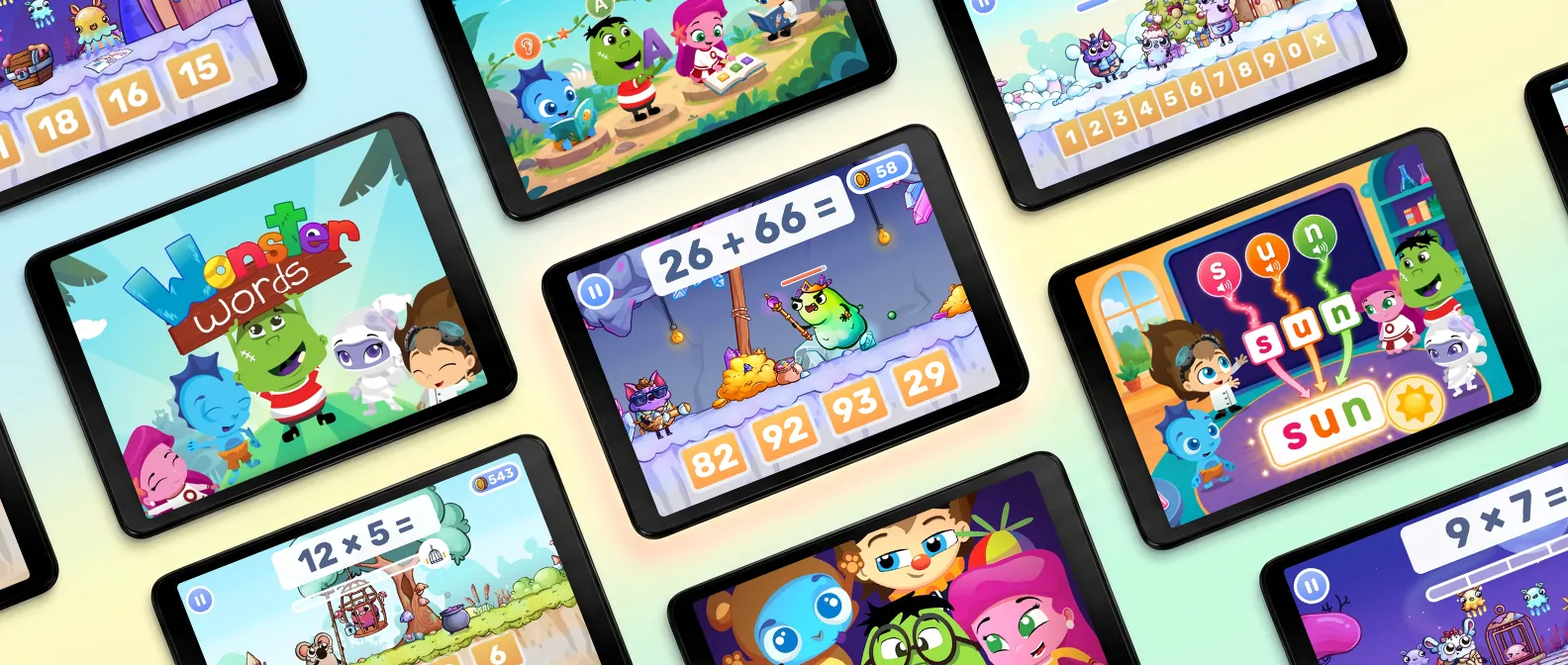
Pick the wrong app and your child opens it twice. Pick the right one and they ask for it on the way to school. The difference is rarely quality; it is fit. A phonics app will not fix math anxiety, and a math game will not teach a six-year-old to read. So the honest answer to "what is the best education app for kids" is: best at what?
This guide breaks the question down by category: math, reading, coding, science, social-emotional learning, general early learning, and creative play. One pick at the top of each section (the one that holds attention past week three), two or three others worth the download, and the compromises each one makes. No apps built on cartoon characters who never leave the loading screen.
Full disclosure: we make MathHero. That's why the selection criteria are spelled out below, why MathHero's entry ends with its limits like every other app, and why most of this guide points you to apps made by someone else.
How we picked these educational apps
Four things mattered more than the rest when we looked at educational apps for children.
Does the child actually open it a second time? Novelty fades fast on a tablet. An app earns a spot here only if young kids keep opening it after the first week. That rules out most of the slick-looking ones.
Is the learning built into the play, or bolted on? Stars and badges on top of worksheets wear off within days. A story the child wants to see the next chapter of does not. The best educational games hide practice inside motivation.
Is the free tier a real tool or a paywall trailer? Some apps give you 15 minutes a day. Some give you the whole game with a pace cap. Some give you a tutorial and then ask for $9.99. The difference matters, and a decent free version is table stakes for recommending an app to parents.
Can a non-reader use it? For kids ages 3 to 6, the audio has to carry the instructions. Otherwise it is an app for the parent, not the child. Interactive features like voice-overs and interactive elements (tap to hear, drag to answer) do a lot of the work.
With that lens, here is the category-by-category pick list.
Best math apps for kids
Math apps break into two piles. One pile drills; the other plays. Drill apps measure speed and streaks; the child learns, but the child does not ask for the next session. Game-based apps hide the practice inside a story the child wants to finish. Both work. The second one gets opened on a Saturday morning.
If you want the full taxonomy before you pick, we have a breakdown of the four types of math practice apps (drill, adaptive, mastery, game-based) that is worth 10 minutes.
1. MathHero (ages 5 to 10)
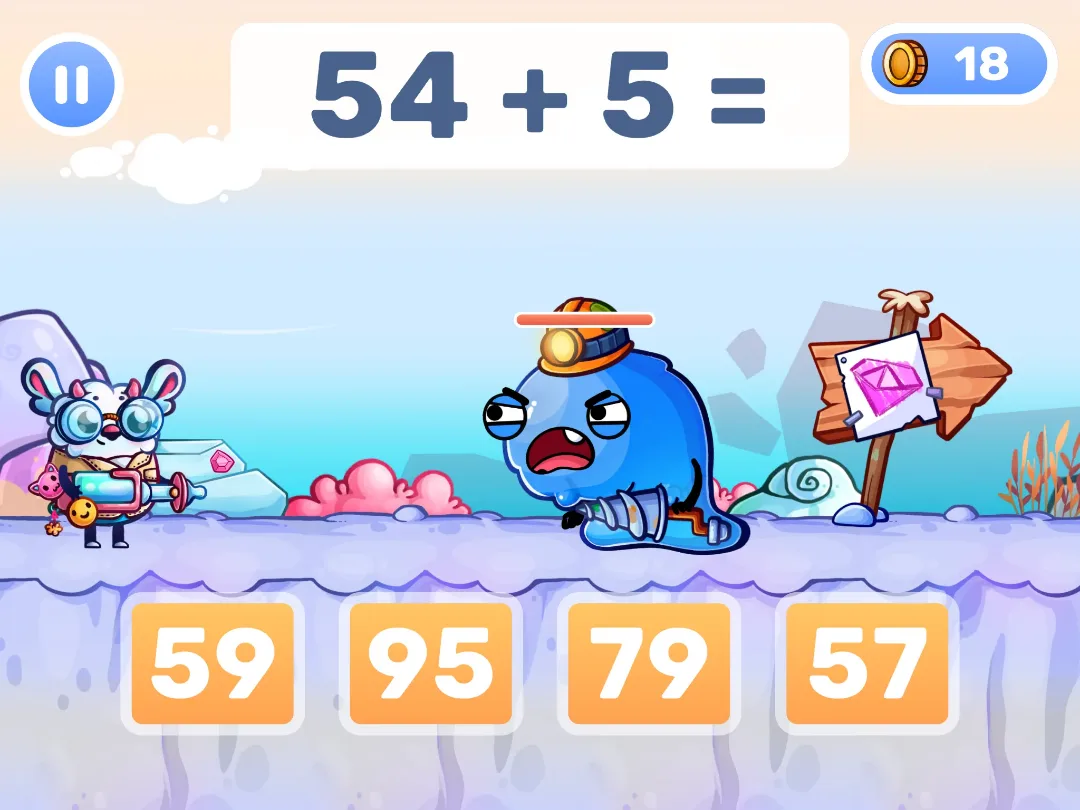
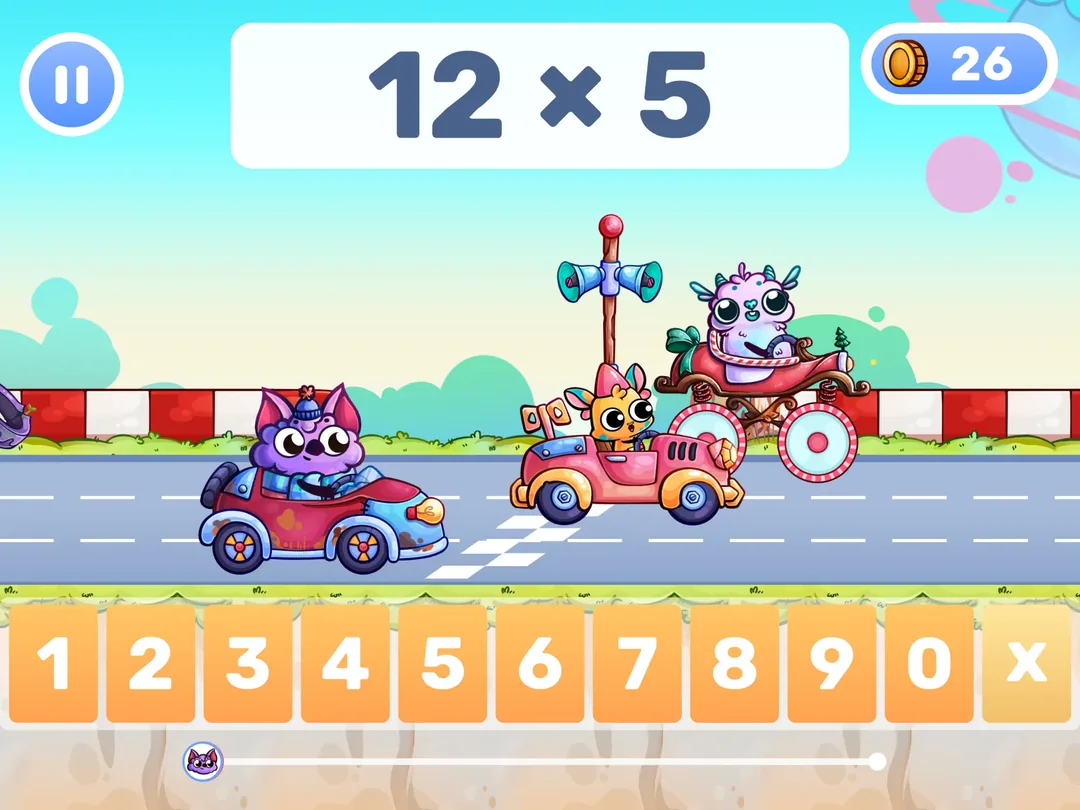
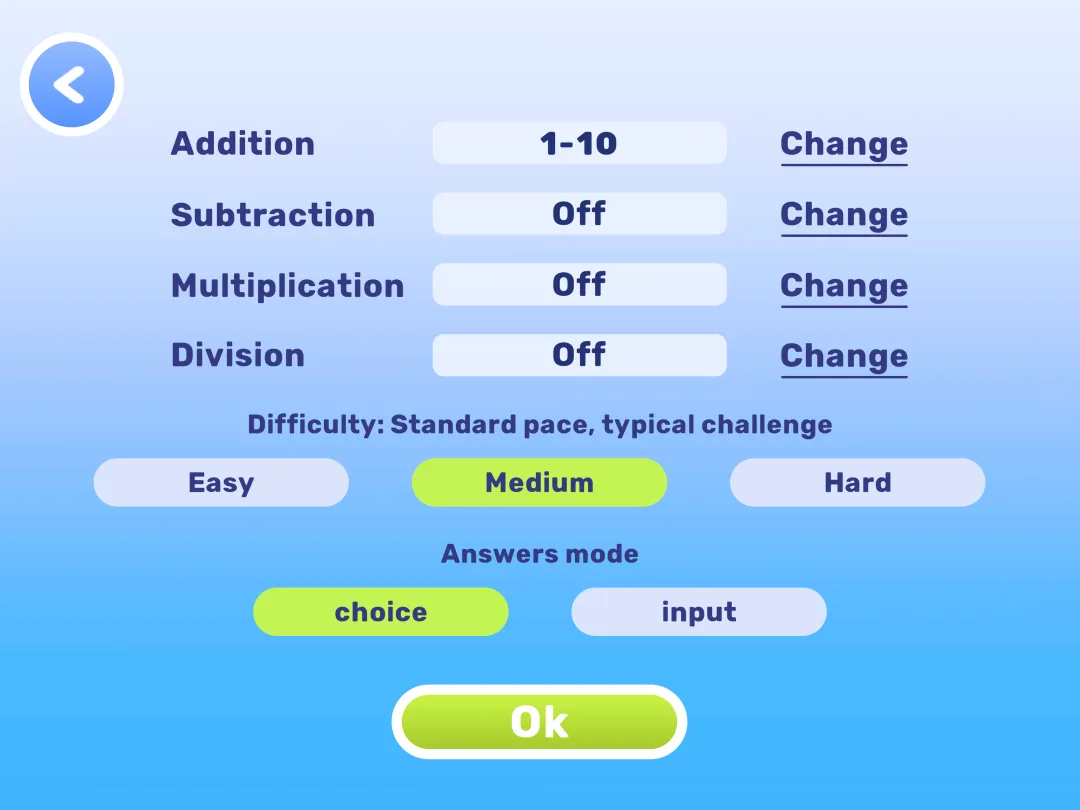
MathHero is a full story-driven adventure for grades K to 4 where solving short sets of math facts is how the child plays, not the price of play. It covers addition and subtraction within 10, 20, 100 and 1,000, multiplication and division. The child earns rewards (coins, outfits, gear) to customize a hero, battles slimes and rescues characters, and gets a lot of math practice done without being asked twice. Kids love the customization loop, and the math drops in without feeling like drills.
Two things set it apart. First, the parent picks the exact skills the child needs (only the ×7 and ×8 facts, or addition within 20, say), and each child gets a profile, so siblings at different skill levels share the same app. The level of customization is unusual: topic, difficulty, monster speed, typed input versus multiple choice. Second, the free mode is not a demo. The whole game is completable for free, capped at 5 levels per day, with no ads and no locked chapters. A subscription with a free trial lifts the daily cap; the paid version is the same game, just without the pace limit.
Limits: MathHero starts at addition within 10, so a child should already know numbers and counting. It covers arithmetic up to 1,000 and the multiplication and division facts; for geometry or equations you will need something else. For some 5-year-olds the pace can feel intense at first; slower monsters and multiple choice help. And a fast player can finish the main story before new levels arrive.
Ratings (US storefronts, Nov 2026): Google Play 4.7 (50k) / App Store 4.6 (13k).
Try MathHero on iOS and Android.
2. Bedtime Math (ages 3 to 9)
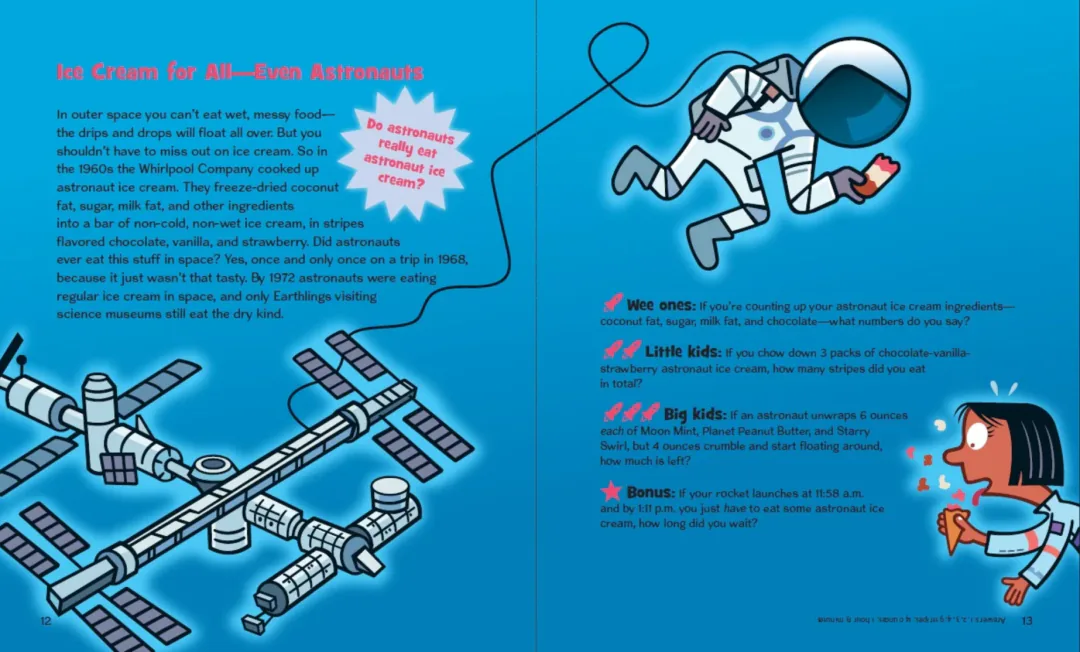
Bedtime Math is not a game. It is a short daily word problem the parent reads aloud with the child, served with three difficulty tiers on the same scenario (Wee Ones, Little Kids, Big Kids). You pour the milk for a bowl of cereal; the problem is about how many bowls you can get out of the box.
It is here because of the research behind it. In a University of Chicago randomized trial of 587 first-graders published in Science, children whose families used Bedtime Math often gained almost three months of math achievement over the school year compared with a control group using a reading app with similar stories but no math; even once-a-week use helped. The benefit was largest for children whose parents were anxious about math. A follow-up through third grade found that those children kept up with their peers in math, even as their families used the app less.
Free on iPhone and iPad, and the daily problems are also on the Bedtime Math website. If your own math anxiety is the thing getting in the way, this is an app with a randomized trial behind it, which few kids' apps can say.
3. Thinkrolls (ages 3 to 8)
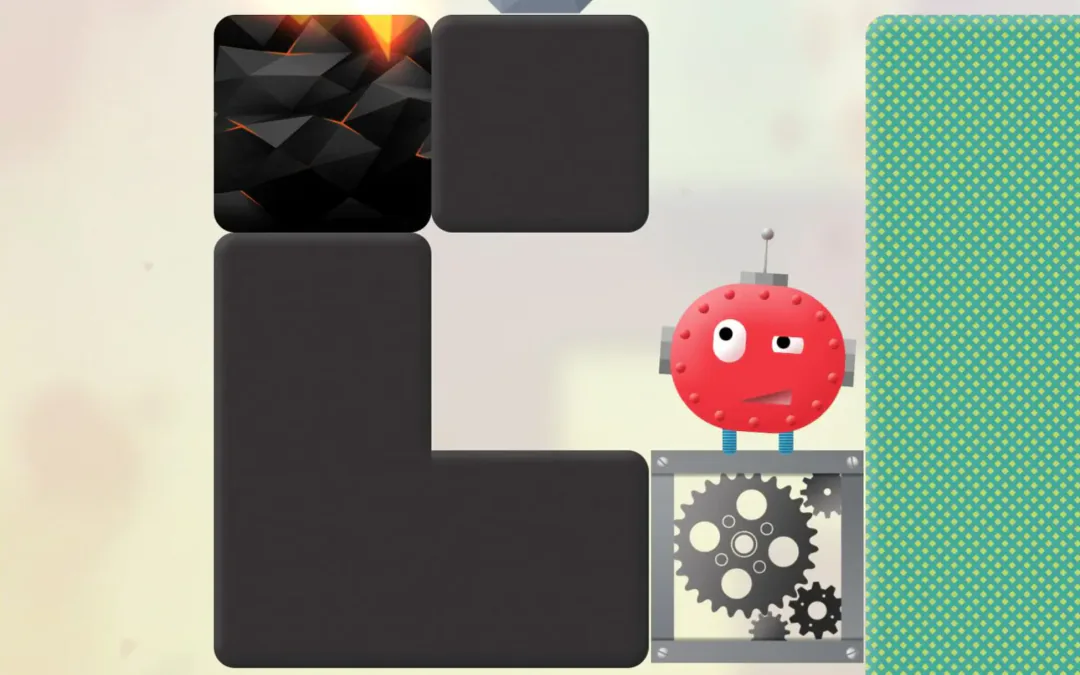
Thinkrolls is a physics puzzle series by Avokiddo. The child rolls a round character through mazes using gravity, buoyancy, friction, elasticity and heat; each new element is a short physics lesson disguised as a level. The original Thinkrolls has 207 puzzles split into easy mode for ages 3 to 5 and hard mode for ages 5 to 8, so children ages 3 through 8 can share it. Later titles (Thinkrolls 2, Kings & Queens, Space) extend the idea. No ads.
Why it sits in the math list rather than science: the reasoning is numerical. Kids plan several moves ahead, count, estimate weight, and work out sequence. One of the better interactive games for building the quiet cousin of math skills, which is problem solving. It also sharpens foundational skills that transfer to arithmetic later.
For 12 more math picks and an at-a-glance comparison, see math curriculum consultant Elena Céspedes Escalante's longer roundup of math apps for kids.
Math apps at a glance
| App | Ages | Platforms | Price | Best for |
|---|---|---|---|---|
| MathHero | 5-10 | iOS, Android | Free (5 levels/day cap); subscription with free trial lifts the cap | Story-driven arithmetic practice, K-4; parent picks the exact skills |
| Bedtime Math | 3-9 | iOS, web | Free | A daily word problem to read together; backed by a randomized trial |
| Thinkrolls | 3-8 | iOS, Android | Thinkrolls 1: $5.99; the "Thinkrolls: Fun Kids Games 2-8" bundle (iOS) comes with a subscription | Physics-flavored puzzles that train problem solving |
Best reading apps for kids
Reading apps split by what they are trying to build: phonics and decoding (the mechanics), vocabulary and comprehension (the meaning), or sheer volume of books (a digital library). The strongest programs sit between the first two; the third works as a supplement, not a teacher.
1. Wonster Words (ages 4 to 8)
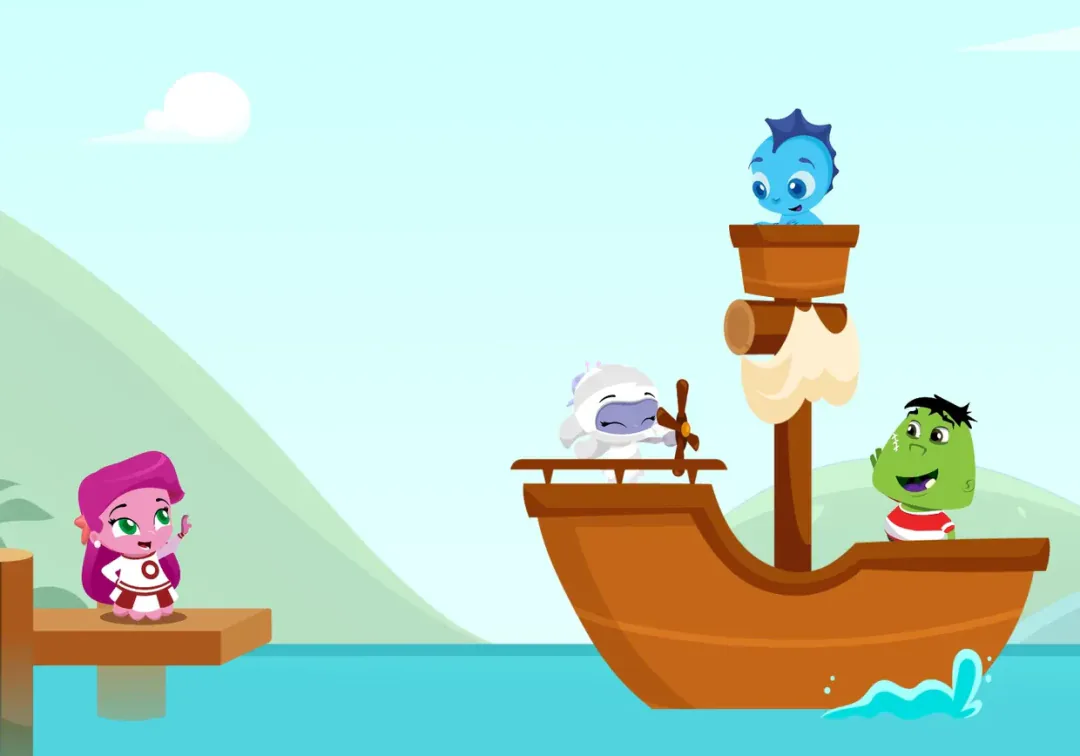
Wonster Words from 77SPARX Studio teaches phonics, letter-sound relationships, consonant blends, digraphs, word families, sight words and CVC words through puzzle games and animated monsters. The hook is simple: the child drags letter tiles to spell a word, the app sounds out each phoneme as the tile moves, and the wonster reacts when the word is complete. The phonics is rooted in the "science of reading" approach: explicit, sequenced, sound-by-sound.
The app offers a 4.6-star App Store rating across roughly 31,000 reviews and awards from Parent's Choice and Mom's Choice Gold, with 15 starter words plus a daily "Word of the Day" in the free version and in-app purchases to unlock the full library. Parents and teachers can enter their own custom word list, and Wonster Words generates phonics-based puzzles from it. Offline play, no ads.
Honest limits: the game loop is repetitive by design (good for phonics drill, less so for story). Older students who already read fluently will outgrow it in weeks.
2. Duolingo ABC (ages 3 to 7)
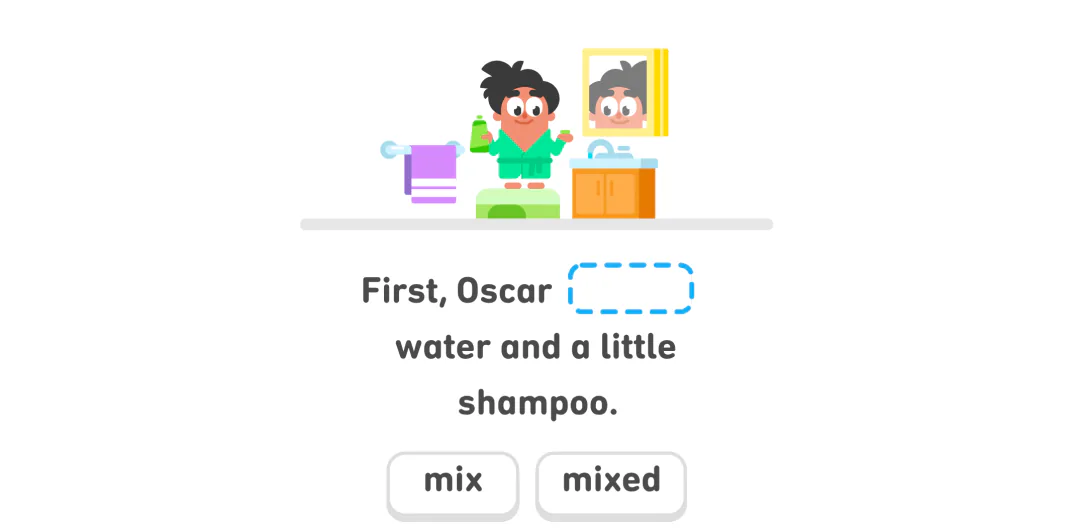
Duolingo ABC is the free early-literacy spin-off of Duolingo for young readers. It runs a sequence of more than 700 short interactive lessons to teach letters, sounds, sight words, first sentences and early writing, with a cadence of short daily sessions. Completely free, no ads, no in-app purchases, from one of the few companies big enough to sustain that model, and it works offline. Pair it with Wonster Words for extra spelling practice, or run it on its own as a preschool-to-kindergarten starter for independent reading.
3. TumbleBookLibrary (grades K to 6)
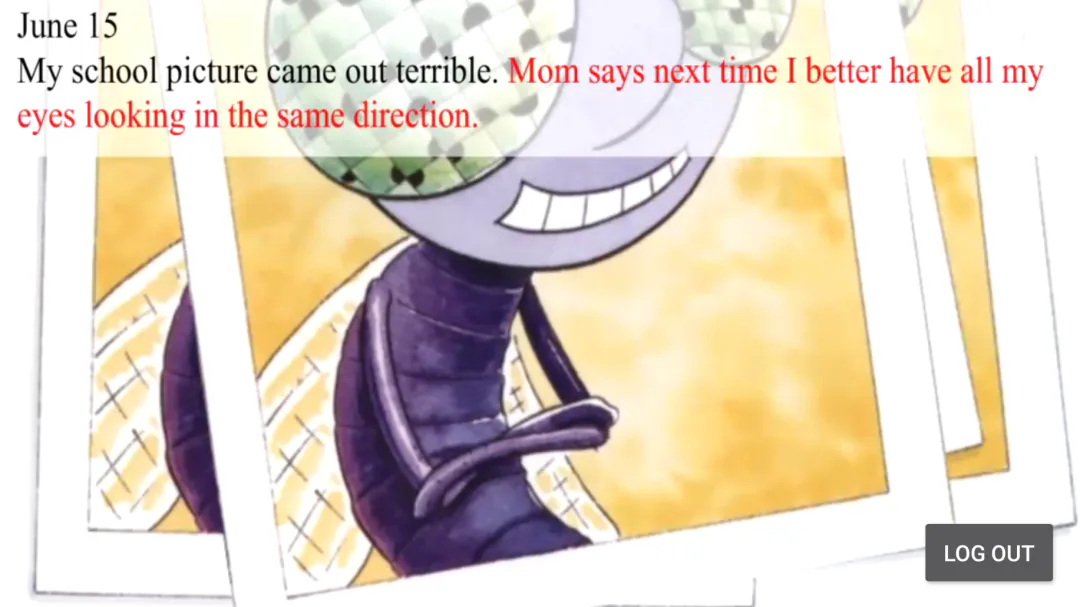
TumbleBookLibrary is a digital library of animated picture books, early chapter books and read-alongs. Text is highlighted word-by-word as it is read, one of the few on-screen features with a real link to reading fluency for emerging readers. Usually funded by your public library, which means the child reads the full catalogue for free if your library subscribes. Ask your local branch for a login.
Best for: independent reading practice and a bedtime story when you have no energy to read a sixth picture book out loud.
4. Epic (ages 2 to 12)
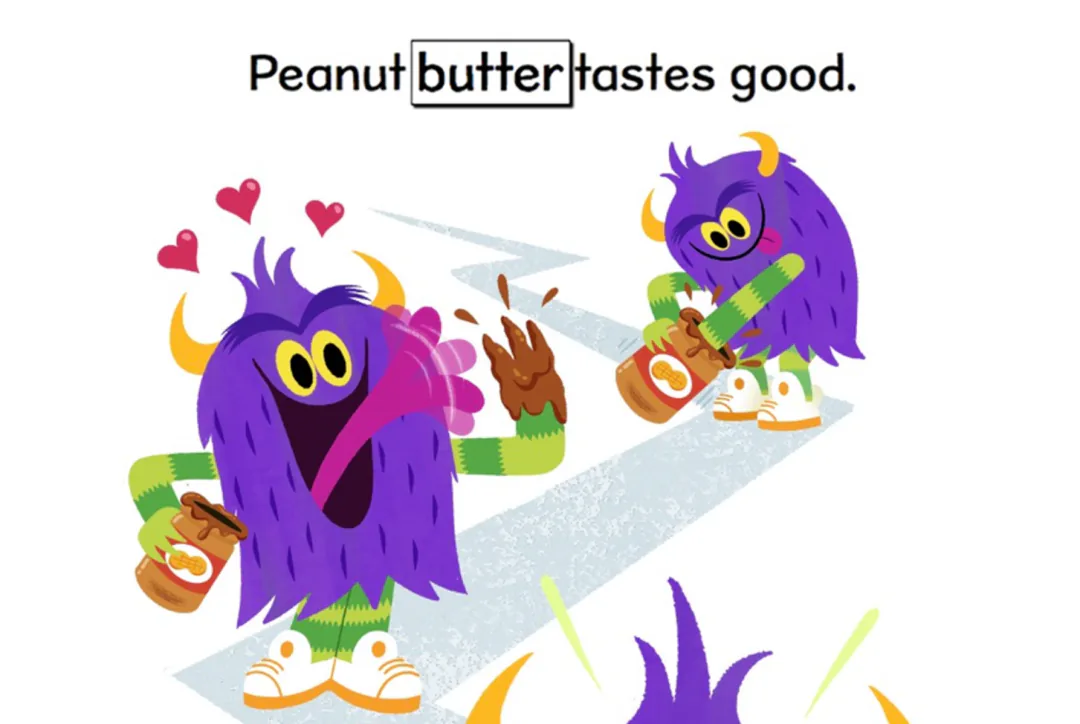
Epic is a digital library of more than 40,000 children's books, audiobooks and videos, searchable by age and reading level. A library, not a lesson. Pair it with a phonics app for the mechanics, and Epic becomes the volume side of reading practice, which matters: reading comprehension grows on miles read. At home it is a subscription after a 7-day free trial; US App Store plans run from $7.99 to $13.99 a month. A separate free version for teachers (Epic School) runs during school hours. Strong for independent reading once the child can decode.
Reading apps at a glance
| App | Ages | Platforms | Price | Best for |
|---|---|---|---|---|
| Wonster Words | 4-8 | iOS (iPhone, iPad), and Android phones and tablets | Free with in-app purchases | Explicit phonics, spelling, CVC words; custom word lists |
| Duolingo ABC | 3-7 | iOS, Android | Completely free; no ads, no in-app purchases | Daily phonics plus first sentences; a true free version |
| TumbleBookLibrary | K-6 | Web, iOS | Free with a public-library card | Animated picture books with highlighted text |
| Epic | 2-12 | iOS, Android, web | Subscription after a 7-day free trial; free for teachers | A 40,000-title digital library for independent reading |
Best coding apps for kids
Coding apps for young learners are not teaching Python. They are teaching sequence, cause and effect, and debugging, using icon-based blocks a non-reader can drag.
1. ScratchJr (ages 5 to 7)
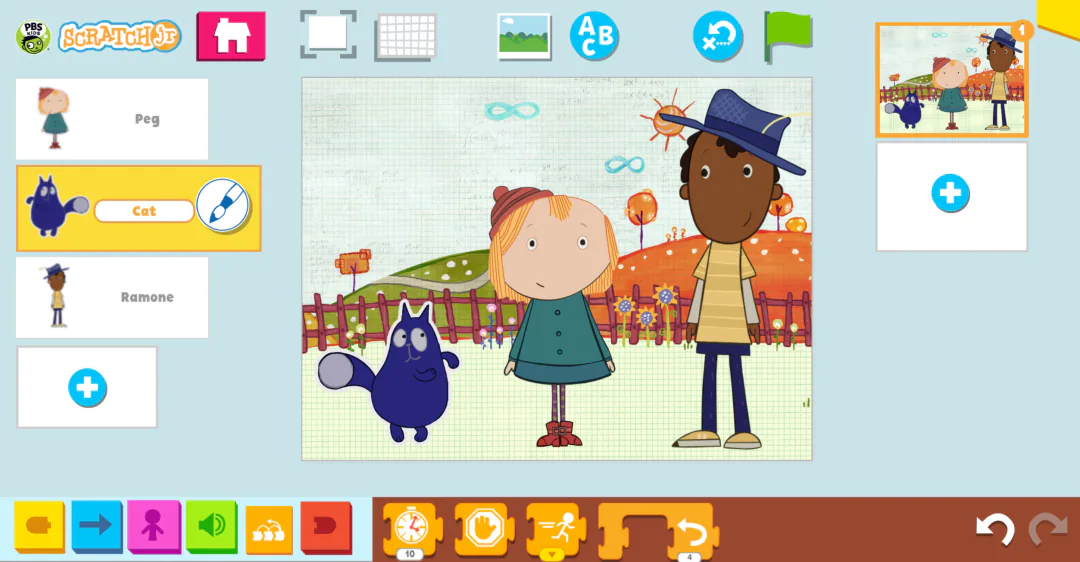
ScratchJr is free and maintained by the Scratch Foundation; it began as a collaboration of the MIT Media Lab, Tufts University and the Playful Invention Company. The child snaps together colored instruction blocks to make characters move, jump, dance and speak; the blocks have no text on them, so a kindergartener can author a short animation or game before they can read the word "loop." Available on iPad, iPhone, Android and Chromebook. A joint PBS KIDS ScratchJr version adds more than 150 familiar characters from PBS shows.
The best thing about it: when the project misbehaves, the child has to debug it. That is the whole lesson.
2. Lightbot Jr (ages 4 to 8)
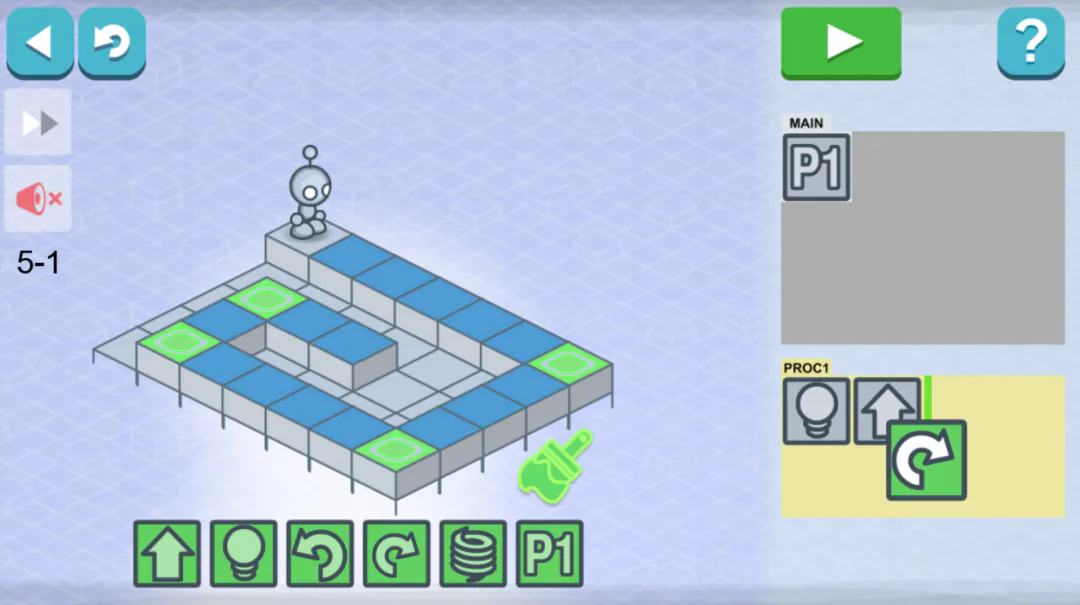
Lightbot Jr is a 42-level puzzle game from SpriteBox LLC where the child programs a small robot to light up tiles. The child chains commands, discovers procedures (reusable mini-programs), then loops. No in-app purchases, no ads. $2.99 on the App Store; it is no longer on Google Play. The older sibling, Lightbot, takes the same idea further for older kids.
3. Kodable or Hopscotch
Once ScratchJr starts feeling small, Kodable and Hopscotch both bridge toward real block coding. Kodable is a structured curriculum from kindergarten through 5th grade, on iPad, Chromebook and the web. Hopscotch, made for ages 9 and up, is about bigger projects of the child's own, on iPhone and iPad. Pick the one your child's school already uses, if you can.
Coding apps at a glance
| App | Ages | Platforms | Price | Best for |
|---|---|---|---|---|
| ScratchJr | 5-7 | iPad, iPhone, Android, Chromebook | Free (nonprofit, no ads, no in-app purchases) | First block coding for pre-readers; make your own animations |
| Lightbot Jr | 4-8 | iOS | $2.99, no in-app purchases | 42 puzzle levels teaching sequence, procedures and loops |
| Kodable | K-5 | iPad, Chromebook, web | Freemium | A structured K-5 coding curriculum, used by many schools |
| Hopscotch | 9+ | iPhone, iPad | Free download; subscription from $7.99/month | Step up from ScratchJr toward bigger block-coding projects |
Best science and STEM apps for kids
STEM learning apps earn their place when they let the child mess around with a model, not read about it. That rules out most "fact of the day" apps and leaves the sandbox ones.
1. Star Walk Kids (ages 6 to 8)
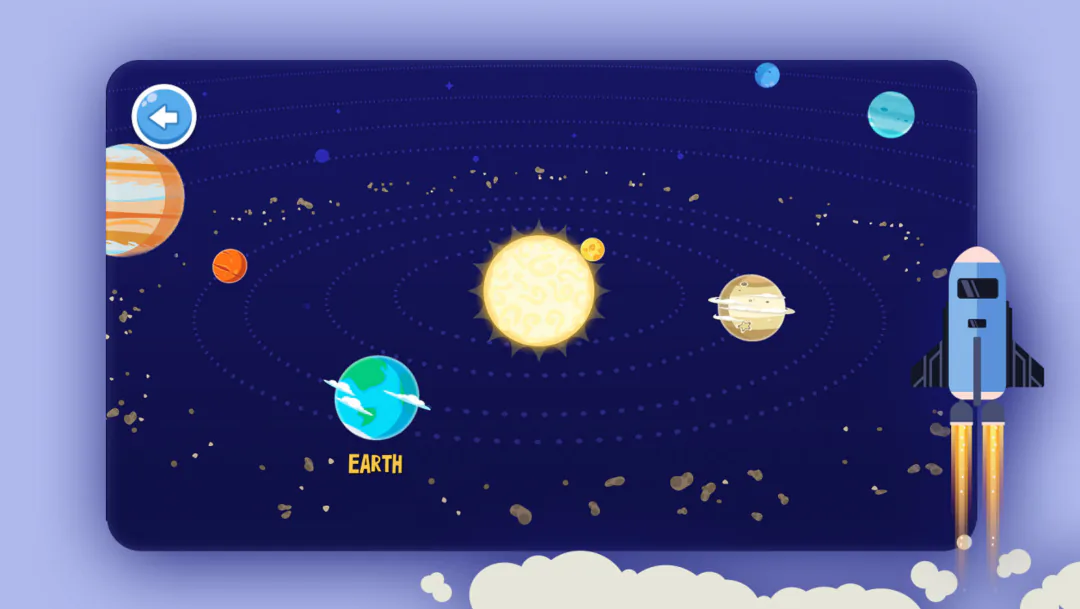
Star Walk Kids from Vito Technology introduces the solar system to children through bright cartoons, short audio explainers and quiz-style activities. Planets, stars, constellations, moons; who orbits what and why. Kid-friendly spin-off of the grown-up Star Walk sky-map app. Free to download on iOS, where a one-time $0.99 purchase removes ads; $0.99 on Google Play. STEM learning begins with "what is that," and this app answers it well.
2. The Human Body by Tinybop (ages 4 and up)
The Human Body is an interactive anatomical model from Tinybop. The child taps a skeleton to see bones move, pokes an ear to see sound waves, watches food move through a digestive system. Eight animated systems are included (skeletal, muscular, nervous, circulatory, respiratory, digestive, immune and skin), plus an optional $0.99 add-on for the urogenital system. Little reading required, with text labels in more than 50 languages. $3.99 one-time on iPhone, iPad and Android, no ads.
3. Toca Nature in Toca Boca Jr (ages 2 to 8)
Toca Nature is a small sandbox where the child shapes an island (pulls land up into mountains, digs lakes, plants forests), watches animals appear, feeds them, and sees what grows. Not a physics simulator; a nature observation toy. For a 5-year-old, that is exactly right. It is no longer sold on its own: it now lives inside Toca Boca Jr, a subscription app (from $7.99 on the US App Store, with a free trial) that bundles several Toca Boca games.
Science and STEM apps at a glance
| App | Ages | Platforms | Price | Best for |
|---|---|---|---|---|
| Star Walk Kids | 6-8 | iOS, Android | Free on iOS ($0.99 removes ads); $0.99 on Android | Introductory astronomy in cartoon form |
| The Human Body by Tinybop | 4+ (made for 6-8) | iPhone, iPad, Android | $3.99, optional $0.99 add-on | Interactive anatomy sandbox, little reading needed |
| Toca Nature (in Toca Boca Jr) | 2-8 | iOS, Android | Subscription with a free trial | A nature observation sandbox for little kids |
Best social-emotional learning apps for kids
Social emotional learning covers self-awareness, empathy, self-regulation and relationship skills. Apps are a tiny slice of how children build these; real-world interactions with adults and peers do the heavy lifting. The apps that help are the ones that give kids a vocabulary and a few routines to practice.
1. Breathe, Think, Do with Sesame (ages 2 to 5)
Breathe, Think, Do with Sesame is a free app from Sesame Workshop, meant for a parent and child to use together. The child helps a Sesame Street monster through an upsetting moment in three steps: take deep breaths, think of a plan, try it. Five short activities, a "Breathe with the Monster" exercise, and encouraging phrases the parent can personalize. The three steps are the active ingredient: a preschooler who has practiced them on a monster can reach for them on a hard morning. Free, no ads, no in-app purchases, in English and Spanish, on iOS and Android.
2. Me: A Kid's Diary by Tinybop (ages 6 to 8)
Me is a prompted multimedia diary. The child answers hundreds of questions about themselves using drawings, photos, voice recordings or typed words: "what are you afraid of," "what is the last kind thing you did," "who is in your family." Entries stay on the device unless the child chooses to share one. It was named a 2020 ALA Notable Children's Digital Media and an Apple Design Award Finalist in 2021. $3.99, iPhone and iPad.
One caution: Common Sense Media notes that some questions are personal, so on a shared device, agree together on what goes in.
3. GoNoodle (ages 4 to 10)
GoNoodle is a free library of short movement, mindfulness and emotional-regulation videos, built originally as classroom tools and now widely used at home. Dance breaks, deep-breathing exercises, yoga videos, feelings check-ins. Useful for the 10-minute rainy-afternoon reset. Sturdy enough that a kindergarten teacher will know what you mean when you mention it. The free app shows some ads for other apps.
Social-emotional learning apps at a glance
| App | Ages | Platforms | Price | Best for |
|---|---|---|---|---|
| Breathe, Think, Do with Sesame | 2-5 | iOS, Android | Free; no ads, no in-app purchases | A three-step calm-down routine for preschoolers |
| Me: A Kid's Diary by Tinybop | 6-8 | iPhone, iPad | $3.99 | Multimedia self-expression through prompted journaling |
| GoNoodle | 4-10 | iOS, Android, web | Free, with ads | Movement, mindfulness, emotional-regulation breaks |
Best all-around early learning apps
Some apps do a little of everything, and for children ages 2 to 5 that mix can be the right place to start. Three stand out.
1. Khan Academy Kids (ages 2 to 8)
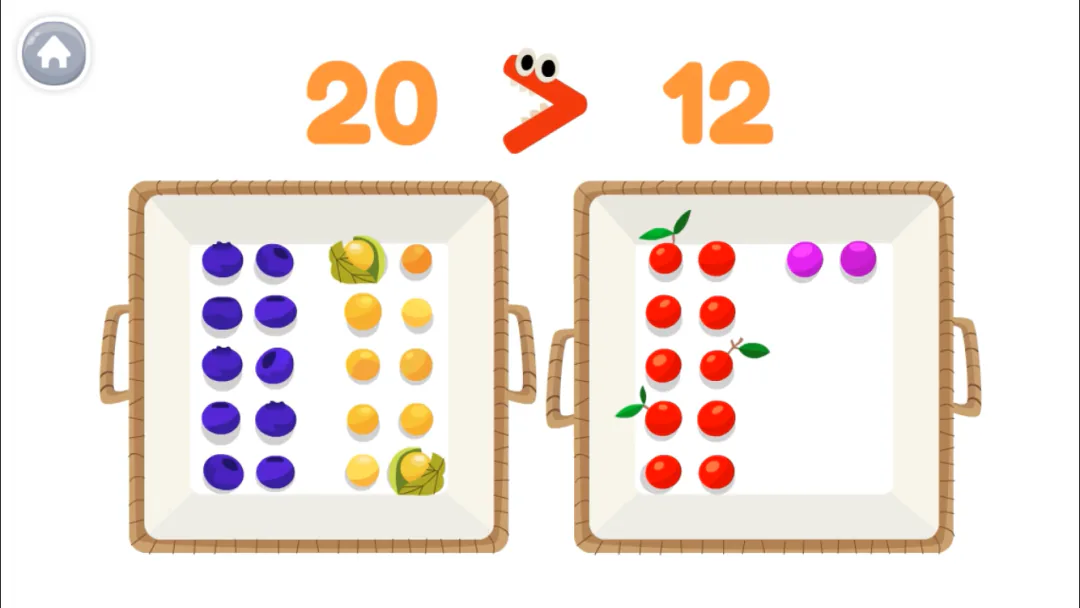
Khan Academy Kids is completely free, ad free and nonprofit, with no subscription at any tier. Not a marketing phrase; it is how the organization is built. Khan Academy itself is a 501(c)(3) nonprofit, and Khan Academy Kids has no in-app purchases, no premium level, no ads. The app offers early literacy, math (counting, shapes, number sense, first addition), problem solving, critical thinking skills, social-emotional lessons, drawing, writing practice and read-aloud books, with familiar characters (Kodi Bear and friends) guiding the activities. It lets children work at their own pace through personalized learning paths assembled from the child's progress.
Is Khan Academy Kids really free? Yes, every part of it. Khan Academy Kids has no premium tier, no upsell screen, no "unlock" pop-up. The main Khan Academy app for older students (grades 3 and up) is a separate free product that covers school math through calculus, plus science and the humanities. Different app, same nonprofit.
For a child who is still at the counting and number-recognition stage, Khan Academy Kids is a strong starter. Once the child is solving their first addition problems, something more game-shaped like MathHero will carry them further on math specifically. For age-by-age benchmarks, Elena Céspedes Escalante's guide to what math a 5-year-old should know is useful.
2. PBS Kids Games (ages 2 to 8)
PBS Kids Games is a free app offering around 280 educational games built around familiar characters from PBS shows (Daniel Tiger, Elinor Wonders Why, Molly of Denali, Sesame Street collaborations). The interactive games cover math skills, early literacy, science, problem solving and social-emotional themes. Ad free. Khan Academy Kids and PBS Kids together cover a wide stretch of early learning without a dollar spent.
3. ABCmouse (ages 2 to 8)
ABCmouse builds a personalized learning path across reading, math, art, music and science, with more than 13,000 learning activities organized into a step-by-step curriculum. $14.99 a month after a 30-day free trial when you sign up on the ABCmouse website, or $79.99 a year. A free Basic Access tier offers up to 10 lessons a day from the same curriculum. The structure (preset order, parent dashboard, personalized learning paths per child, graded skill levels) suits families who want one track to follow rather than a buffet of mini-games. Older students may outgrow it by third grade.
All-around early learning apps at a glance
| App | Ages | Platforms | Price | Best for |
|---|---|---|---|---|
| Khan Academy Kids | 2-8 | iOS, Android, Amazon | Completely free. No ads, no in-app purchases, nonprofit | A broad early-learning curriculum from a trusted nonprofit |
| PBS Kids Games | 2-8 | iOS, Android, Amazon, web | Free, ad-free | 280+ educational games with familiar PBS characters |
| ABCmouse | 2-8 | iOS, Android, web | $14.99/month (30-day free trial on the website) or $79.99/year; free tier up to 10 lessons a day | A preset step-by-step curriculum, Pre-K through 2nd grade |
Best creative play apps for kids
Not every screen session needs a lesson plan. Open-ended apps let kids create: build, draw, tell a story, play pretend. The educational value is sideways, in imagination and self-direction, and it is real.
1. Toca Boca World (ages 6 to 8)
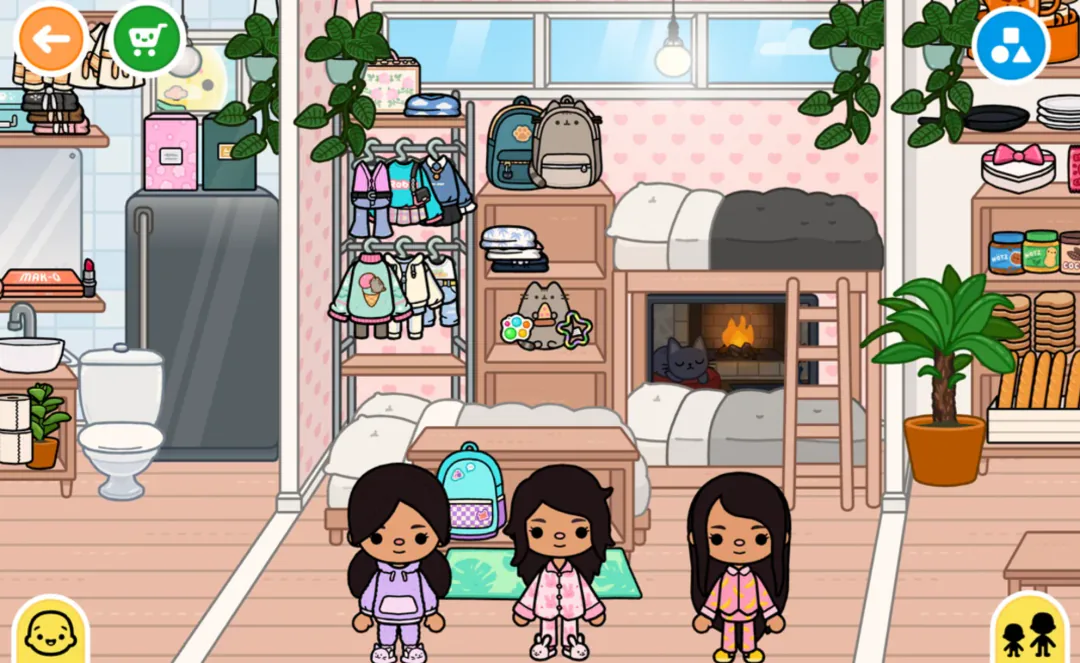
Toca Boca World is a sandbox with no rules, no scoring, no goals. Kids build houses, cook meals, run shops, stage adventures with cute characters, and make their own storylines. If you want evidence it is working, listen to the narration your child does out loud while they play; that is early storytelling in the wild. Great for creative activities that do not fit a lesson plan.
2. LEGO DUPLO World (ages 2 to 5)
LEGO DUPLO World is a set of short playful activities (a train to load, a farm to feed, a city to build) for toddlers and preschoolers. Simple controls, no reading required. Free to download from StoryToys; a subscription ($6.99 a month or $39.99 a year) unlocks the full set of play packs.
3. Sago Mini World (ages 2 to 6)
Sago Mini offers a bundle of gentle sandbox games for little kids, by subscription. Strong on basic concepts (sorting, caring, cause and effect) with no fail states. For young students who get frustrated when they lose, this is the kind of app that stays calming instead of escalating.
Creative play apps at a glance
| App | Ages | Platforms | Price | Best for |
|---|---|---|---|---|
| Toca Boca World | 6-8 | iOS, Android | Free download with paid expansion packs | Open-ended sandbox storytelling |
| LEGO DUPLO World | 2-5 | iOS, Android | Free download; subscription $6.99/month or $39.99/year | Toddler-friendly build-and-play scenes |
| Sago Mini World | 2-6 | iOS, Android | Subscription (free trial) | Gentle no-fail sandbox for very young children |
Common questions parents ask about learning apps
What is the #1 education app for kids right now?
There is no single #1. "Best" depends on your child's age and the skill you are trying to build, which is why this guide picks by subject: MathHero for math practice, Wonster Words or Duolingo ABC for reading, ScratchJr for first coding, Khan Academy Kids as an all-round free start.
Which is the most popular educational app?
Across all ages, Duolingo, the language app, sits at the top of the US App Store's free Education chart. Among apps for young children, Toca Boca World and ABCmouse ranked highest in November 2026, with PBS KIDS Games and Khan Academy Kids further down. For children ages 5 to 10 who want math gameplay, MathHero and Prodigy are the two we would try first. Chart rank measures downloads, not learning: "most popular" and "best fit for your child" are not always the same answer.
Is Khan Academy Kids really free?
Yes, completely free. Khan Academy is a 501(c)(3) nonprofit; the Kids app has no subscription, no in-app purchases and no ads at any tier. The main Khan Academy app for older students is free too. Unusual in the space, where "free" often means "demo."
Is Wonster Words free, and is it actually phonics?
Wonster Words is free to download with in-app purchases. The free version comes with 15 starter words plus a new "Word of the Day," which is enough to see whether your child engages before you spend anything; a one-time all-access unlock or a subscription opens the full library. Yes, it is actually phonics in the current "science of reading" sense: letter-sound mapping, blends, digraphs, word families, CVC words, sight words, in a sequence rather than pure memorization. The custom-word-list feature means a kindergarten teacher or parent can drop in this week's spelling list and have Wonster Words generate puzzles for exactly those words. Not a complete reading curriculum on its own; pair it with a read-aloud habit and a library app like TumbleBookLibrary or Epic for volume.
IXL or ABCmouse: which is better?
They do different jobs. IXL is a school-style practice platform with graded exercises aligned to Common Core, covering pre-K through grade 12, and often used as homework support in elementary school and up. ABCmouse is a play-based early learning curriculum for children ages 2 to 8, built around a preset step-by-step path. If your child needs to practice specific school standards, IXL fits. If you want an all-in-one early-learning program to use at home, ABCmouse fits. Not competing products.
How should we handle screen time?
Short and purposeful beats long and open-ended. For most kids ages 4 to 10, 10 to 15 minutes on one learning app is a good daily session; two short blocks of screen time are better than one long one. Use the app's own limiter if it has one: MathHero's free mode, 5 levels a day, already fits a short daily session. Watch for passive consumption (scrolling, autoplay) versus active practice; the second is the whole point of a good educational app. Math teacher Jody O'Neill's guide to how to make math fun at home covers this in more depth, and our write-up of what research actually says about game-based math apps is worth a read before you buy a subscription.
Do educational apps really help kids learn?
Yes, modestly and conditionally. A 2021 meta-analysis of 36 studies of educational apps for preschool to grade 3 found real but moderate gains in early math and literacy, larger for preschoolers. They are a supplement to real-world learning, not a replacement for a teacher, a book or everyday life. The educational value holds up best when the app has the child doing something (solving, building, speaking, writing) rather than watching, and when lessons tie back to things the child meets in everyday life.
Which education app should your child try first
If you have one slot on the home screen and a child in elementary school who struggles with math, start with MathHero.
If your child is in preschool and just getting to know numbers and letters, start with Khan Academy Kids.
If your child is learning to read, start with Wonster Words for phonics or Duolingo ABC for a broader early-literacy path.
If you want a 10-minute reset on a tough afternoon, open GoNoodle.
Everything else is a second download.
Sources
- Berkowitz, T., Schaeffer, M. W., Maloney, E. A., Peterson, L., Gregor, C., Levine, S. C., and Beilock, S. L. (2015). Math at home adds up to achievement in school. Science, 350(6257), 196–198.
- Schaeffer, M. W., Rozek, C. S., Berkowitz, T., Levine, S. C., and Beilock, S. L. (2018). Disassociating the relation between parents' math anxiety and children's math achievement: Long-term effects of a math app intervention. Journal of Experimental Psychology: General, 147(12), 1782–1790.
- University of Chicago News. Math story time at home bolsters achievement in school.
- Kim, J., Gilbert, J., Yu, Q., and Gale, C. (2021). Measures matter: A meta-analysis of the effects of educational apps on preschool to grade 3 children's literacy and math skills. AERA Open, 7.
- MIT Media Lab. ScratchJr: project overview.
- Common Sense Media. Me: A Kid's Diary review.
- Sesame Workshop. Breathe, Think, Do with Sesame, App Store listing.